Set up automatic security updates on Ubuntu 24.04 and AlmaLinux 9
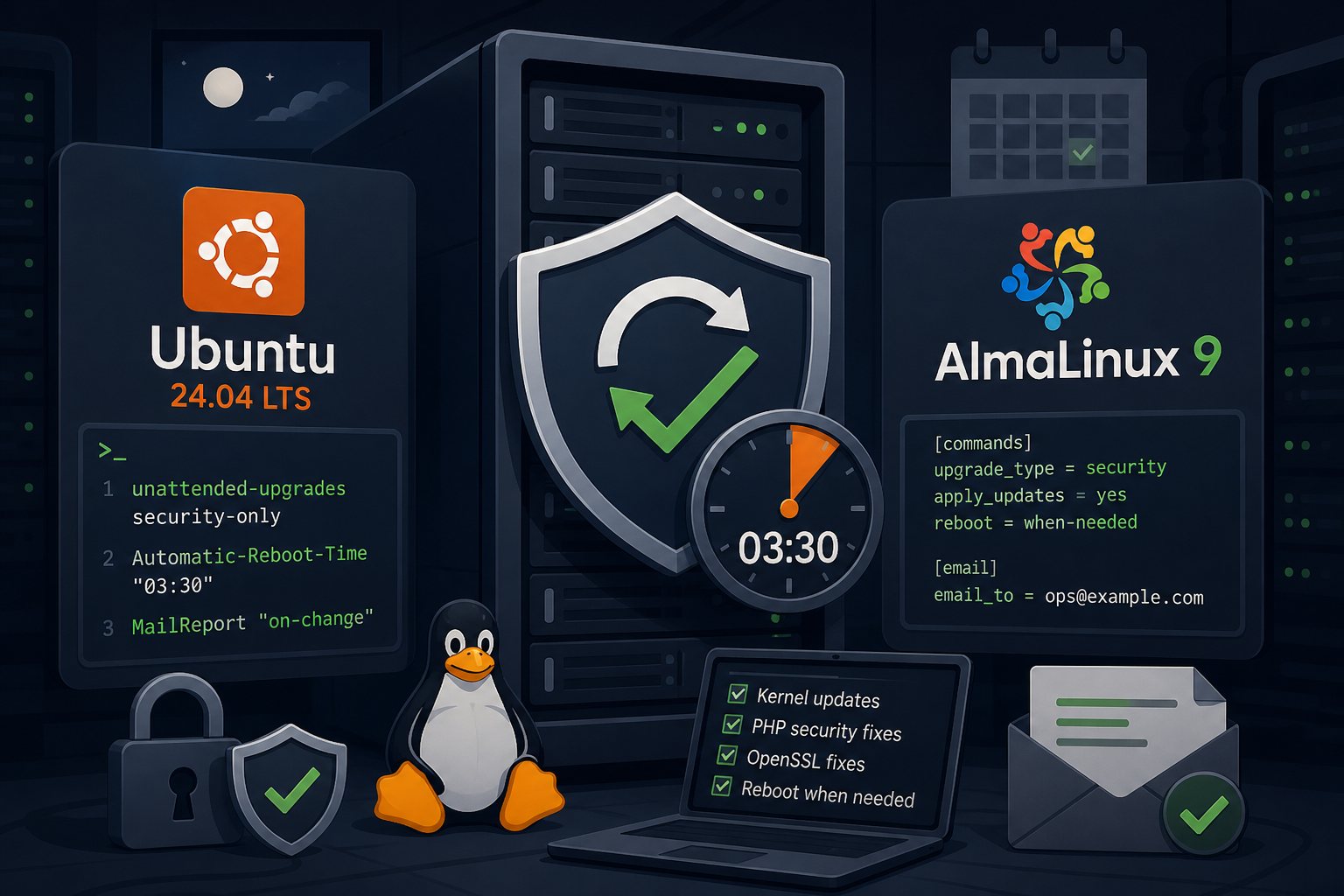
The last two weeks brought two Linux kernel bugs (CVE-2026-98432 and CVE-2026-46300) and coordinated PHP releases on October 21 that fixed two remote code execution flaws. Each one meant a package update on every server, and the kernel fixes also meant a reboot. A server that waits for someone to log in and run apt upgrade stays exposed for as long as that person is busy. This guide sets up unattended security updates on Ubuntu 24.04 LTS and AlmaLinux 9, with reboots held to a fixed window and a report emailed after each run.
Scope of the setup: security fixes only, reboots in a window
Both configurations below install security updates only. Feature updates, major version changes and anything from repositories you have not approved still wait for a person. That keeps the risk of an automatic run small. A security update to OpenSSL or PHP rarely changes behavior; a full -updates pocket sometimes does.
Reboots are the part most people skip. Installing a patched kernel does nothing until the machine boots into it, so a server that never reboots stays vulnerable to every kernel CVE it has "installed" a fix for. Pick a time when traffic is lowest and let the system reboot itself only when an update requires it.
Ubuntu 24.04: confirm unattended-upgrades is enabled
Ubuntu Server images normally ship with unattended-upgrades installed and pointed at the security pocket. Confirm it on each host instead of assuming:
cat /etc/apt/apt.conf.d/20auto-upgrades
systemctl list-timers 'apt-daily*'
The file should contain both of these lines:
APT::Periodic::Update-Package-Lists "1";
APT::Periodic::Unattended-Upgrade "1";
If the file is missing or the package is not installed, run:
sudo apt install unattended-upgrades
sudo dpkg-reconfigure -plow unattended-upgrades
The apt-daily.timer unit refreshes package lists and apt-daily-upgrade.timer runs the upgrade. Both add a random delay so a fleet does not hit the mirrors at the same second.
Ubuntu 24.04: reboot time and email reports in a local override file
Leave /etc/apt/apt.conf.d/50unattended-upgrades alone. It is a package conffile, and editing it means answering merge prompts on future upgrades. APT reads the files in that directory in name order and later settings win, so put your changes in a file that sorts after it:
sudo tee /etc/apt/apt.conf.d/52unattended-upgrades-local >/dev/null <<'CONF'
Unattended-Upgrade::Automatic-Reboot "true";
Unattended-Upgrade::Automatic-Reboot-WithUsers "true";
Unattended-Upgrade::Automatic-Reboot-Time "03:30";
Unattended-Upgrade::Remove-Unused-Kernel-Packages "true";
Unattended-Upgrade::Mail "ops@example.com";
Unattended-Upgrade::MailReport "on-change";
CONF
Automatic-Reboot defaults to false. When set to true, the system reboots only if the run leaves /var/run/reboot-required behind, which kernel, libc and systemd updates do. Automatic-Reboot-Time takes a local hh:mm value and is passed to shutdown, so a reboot is scheduled for the next 03:30 after the run finishes. If the upgrade timer fires at 06:00, the server runs the old kernel for most of a day. Move the upgrade run so it lands shortly before the reboot window:
sudo systemctl edit apt-daily-upgrade.timer[Timer]
OnCalendar=
OnCalendar=*-*-* 02:30
RandomizedDelaySec=30mThe empty OnCalendar= line clears the packaged schedule before the new one is added. Without it, systemd keeps both.
Email reports need a mailx provider (bsd-mailx works) and a local MTA that can relay outbound mail. on-change sends a report only when packages were upgraded or something failed. Test the mail path on its own with echo test | mail -s test ops@example.com before relying on it.
Ubuntu 24.04 changed needrestart to restart affected services automatically after library updates. That is usually what you want for PHP-FPM and nginx. To keep a service such as MariaDB from being restarted without a person present, add a drop-in like /etc/needrestart/conf.d/50-local.conf. This form adds one entry and keeps the packaged exclusions:
$nrconf{override_rc}{qr(^mariadb\.service$)} = 0;Ubuntu 24.04: approving PPAs and vendor repositories
By default, unattended-upgrades only takes packages from Ubuntu's own security pocket (plus ESM pockets when Ubuntu Pro is attached). PHP from the ondrej PPA, MariaDB from the MariaDB repository, and nginx from nginx.org are all skipped. A server running PHP 8.4 from a PPA would not have picked up the October 21 fixes on its own, even with unattended-upgrades enabled.
Find the exact origin string each repository publishes:
grep -H '^Origin:' /var/lib/apt/lists/*InReleaseThen append it to the allowed list in your local file. Launchpad PPAs use the form LP-PPA-owner-name:
Unattended-Upgrade::Allowed-Origins {
    "LP-PPA-ondrej-php:${distro_codename}";
};
List entries in a later file add to the packaged list instead of replacing it. Approve only repositories you would patch from by hand without testing. Vendor repositories ship feature releases through the same channel as security fixes, so allowing one means accepting both.
AlmaLinux 9: dnf-automatic in security-only mode
Install the tool and open its configuration file:
sudo dnf install dnf-automatic
sudo vi /etc/dnf/automatic.conf
Set these values. Out of the box, apply_updates and download_updates are off and reboot is never, so a bare install only reports.
[commands]
upgrade_type = security
download_updates = yes
apply_updates = yes
reboot = when-needed

[emitters]
emit_via = stdio,email

[email]
email_from = root@web01.example.com
email_to = ops@example.com
email_host = localhost
upgrade_type = security limits installs to packages with an issued security advisory. AlmaLinux publishes these as ALSA errata in each repository's updateinfo metadata. reboot = when-needed reboots only after updates that require it, such as a kernel or systemd update. The default reboot_command is shutdown -r +5, so the reboot follows five minutes after the run.
The reboot option arrived in RHEL 9 with dnf-4.14.0-6.el9 (erratum RHBA-2023:6645, November 2023), and AlmaLinux rebuilds that package. Check with rpm -q dnf. A host older than that will install updates but never reboot.
Because the reboot comes five minutes after the run, control the reboot window through the timer schedule:
sudo systemctl edit dnf-automatic.timer[Timer]
OnCalendar=
OnCalendar=*-*-* 03:00
RandomizedDelaySec=15msudo systemctl enable --now dnf-automatic.timer
systemctl list-timers dnf-automatic.timerUse dnf-automatic.timer, which follows the config file. The -install, -download and -notifyonly timer variants override parts of it, and enabling two of them at once gives confusing results.
Testing the first run on each distribution
On Ubuntu, simulate a run and read what it would do:
sudo unattended-upgrade -v --dry-run
less /var/log/unattended-upgrades/unattended-upgrades.log
cat /var/run/reboot-required.pkgs 2>/dev/null
On AlmaLinux, list pending security advisories, then trigger the service once. With reboot = when-needed set, this run can reboot the server five minutes later, so do it inside your window.
sudo dnf updateinfo list --security
sudo systemctl start dnf-automatic.service
journalctl -u dnf-automatic.service -n 50
sudo dnf needs-restarting -r; echo "exit: $?"
sudo dnf needs-restarting -s
needs-restarting -r exits 1 when a reboot is required and 0 when it is not, which makes it easy to wire into a monitoring check. The -s flag lists systemd services still running old code. dnf-automatic does not restart services itself; some packages restart their own service during upgrade and others do not, so check this list after PHP or OpenSSL updates.
Failures that leave a server unpatched without an error
- Held or locked packages. A package pinned months ago for a compatibility problem never updates again. Check
apt-mark showholdon Ubuntu anddnf versionlock liston AlmaLinux (if the versionlock plugin is installed). - Third-party repositories without advisory metadata. With
upgrade_type = security, a repository that publishes no updateinfo gets nothing installed, and the run still reports success. Patch those packages on a schedule by hand or with a separate job. - A full /boot partition. Kernel installs fail when old kernels fill
/boot. KeepRemove-Unused-Kernel-Packageson for Ubuntu and leaveinstallonly_limit=3in/etc/dnf/dnf.confon AlmaLinux. - Mail that never arrives. If the MTA is broken, reports stop and nobody notices. Alert on the age of
/var/run/reboot-requiredor a nonzeroneeds-restarting -rresult instead of trusting an empty inbox. - Dependent servers rebooting together. If the database host and its web servers share one reboot time, every site goes down at once and the web tier may start before MariaDB is accepting connections. Give the database its own window, at least 30 minutes apart.
On the servers we manage, Falcon Internet runs security-only automatic updates and alerts on any host that has been waiting on a reboot for more than a week.